How credits work
- Everything that generates costs credits; chatting with the agent is free. One credit is $0.01.
- You see the price before you start: on the button, in the agent's estimate, or in a workflow's run panel.
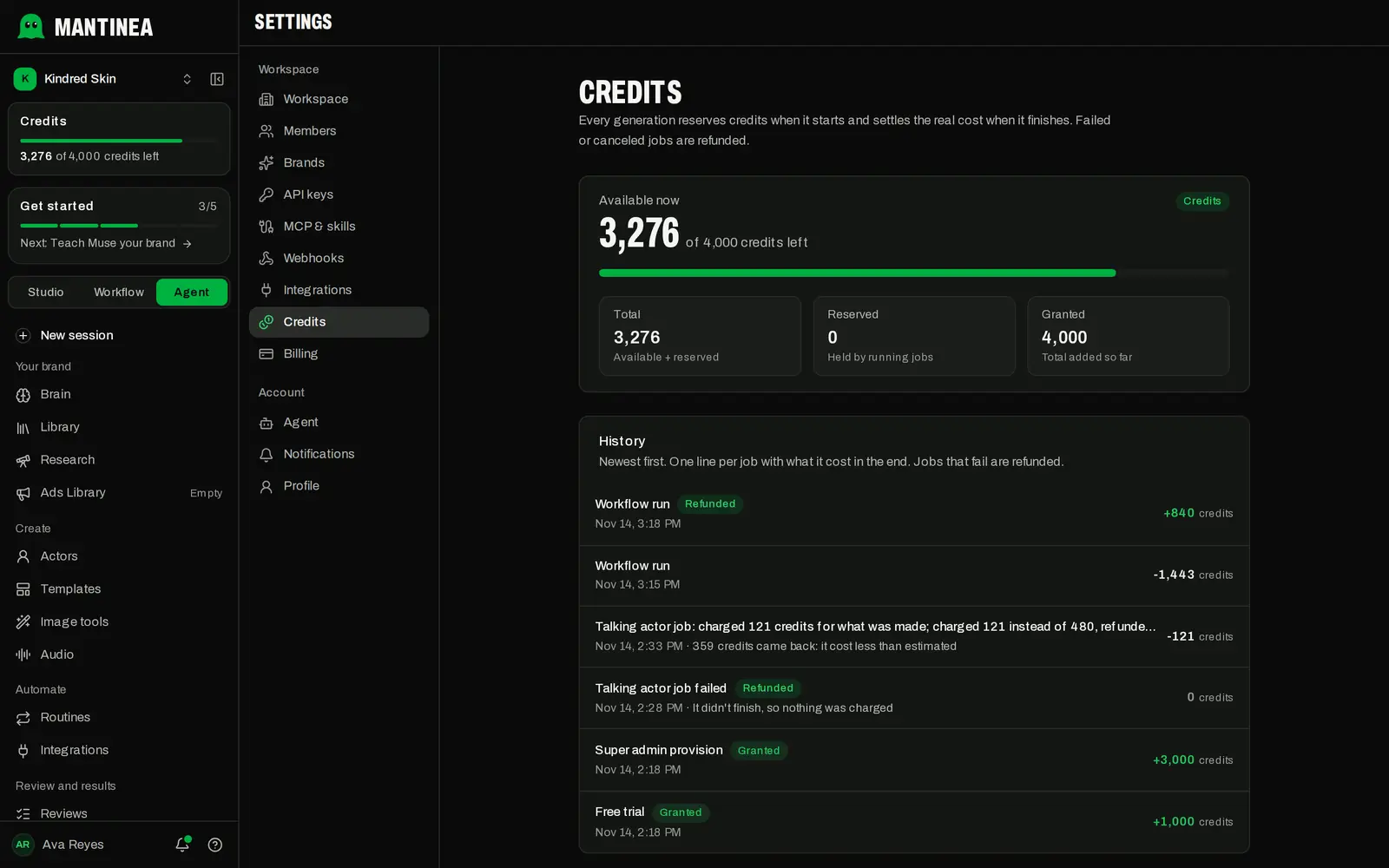
- A generation reserves credits when it starts and settles the real cost when it ends. Failed or cancelled work is refunded.
See your balance and history
The Credits card in the sidebar shows what is left. Click it (or Settings > Credits) for the balance, what running jobs hold, and a line per job with what it cost in the end.
Plans and credit packs
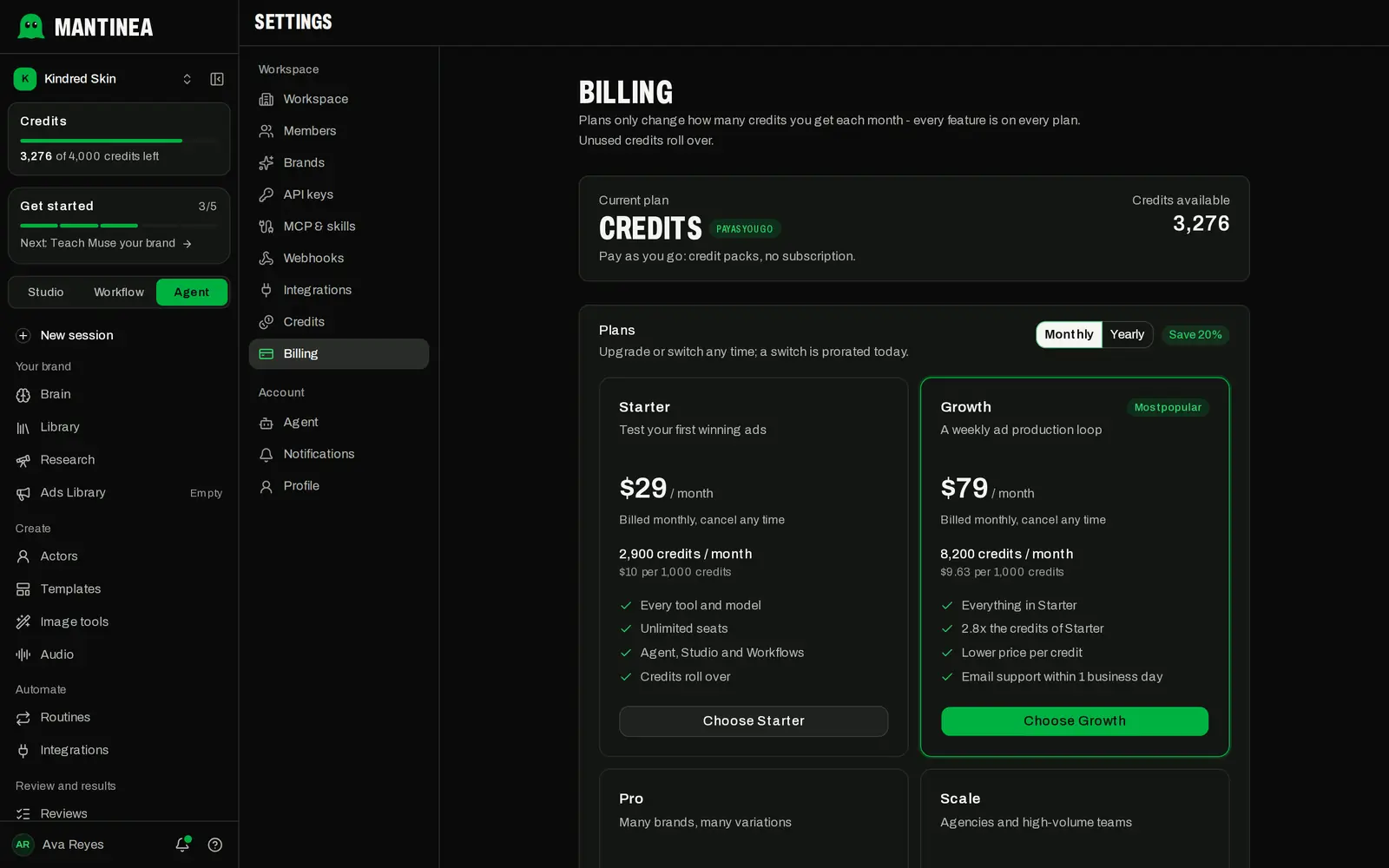
Settings > Billing shows your current plan and lets you choose or switch plans, monthly or yearly. Every feature is on every plan: plans only change how many credits you get each month, and unused credits roll over. Credit packs top up any plan.
Manage cards & invoices opens the payment portal. You can cancel in one click, and recent payments can be refunded from the payments table when they qualify.
Spending limits
Spend controls in Billing set daily, weekly or monthly caps, and can ask before every generation above an amount you choose. When a cap is reached, a dialog shows what is left and when it resets.
Pictures show the English interface. Names of buttons may read differently in your language.