Open Translate
On a video page, open the ⋯ menu and choose Translate. It is also on Studio results and in the agent's script cards.
Pick languages
Click the quick picks for the biggest markets, or search all 182 languages and accents (type "Mexico" or "Scottish" to find regional accents). Picked languages show as chips you can remove.
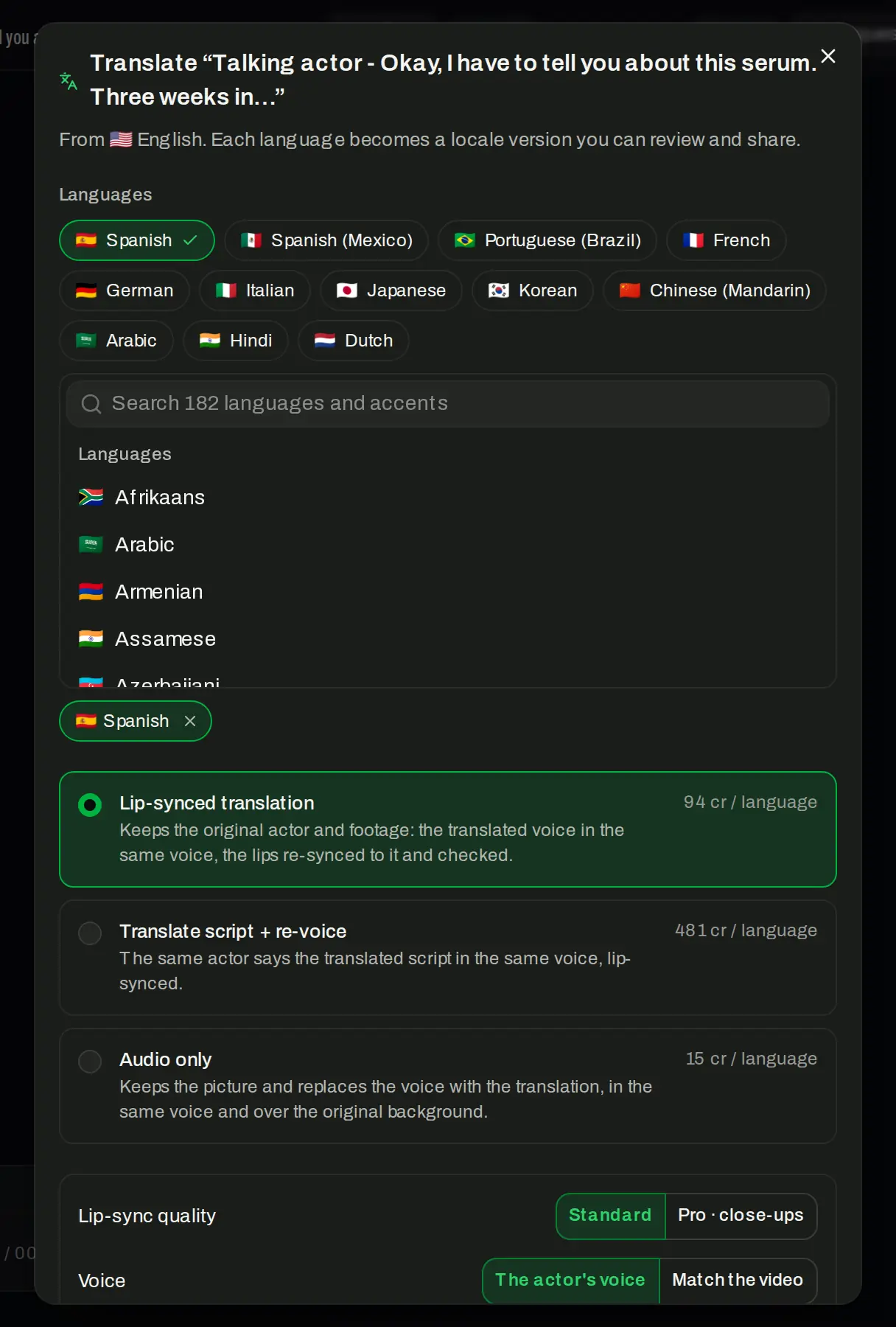
Choose how
Then set the lip-sync quality and the voice: the actor's own voice or one matched to the video. Translated captions are on by default.
- Lip-synced translation: the original actor and footage, the translated voice in the same voice, lips re-synced and checked.
- Translate script + re-voice: the same actor says the translated script.
- Audio only: keeps the picture and replaces the voice.
Get the versions
One job starts per language. Each arrives as a version of the original: find them under Versions on the video page, ready to review and share.
Pictures show the English interface. Names of buttons may read differently in your language.