The Edit menu
- AI edit (describe it): say what to change ("make it golden hour", "remove the logo on the shirt"); the shot stays the same.
- Fix a moment: re-make only a short part that looks wrong.
- Resize: a new version in another aspect ratio.
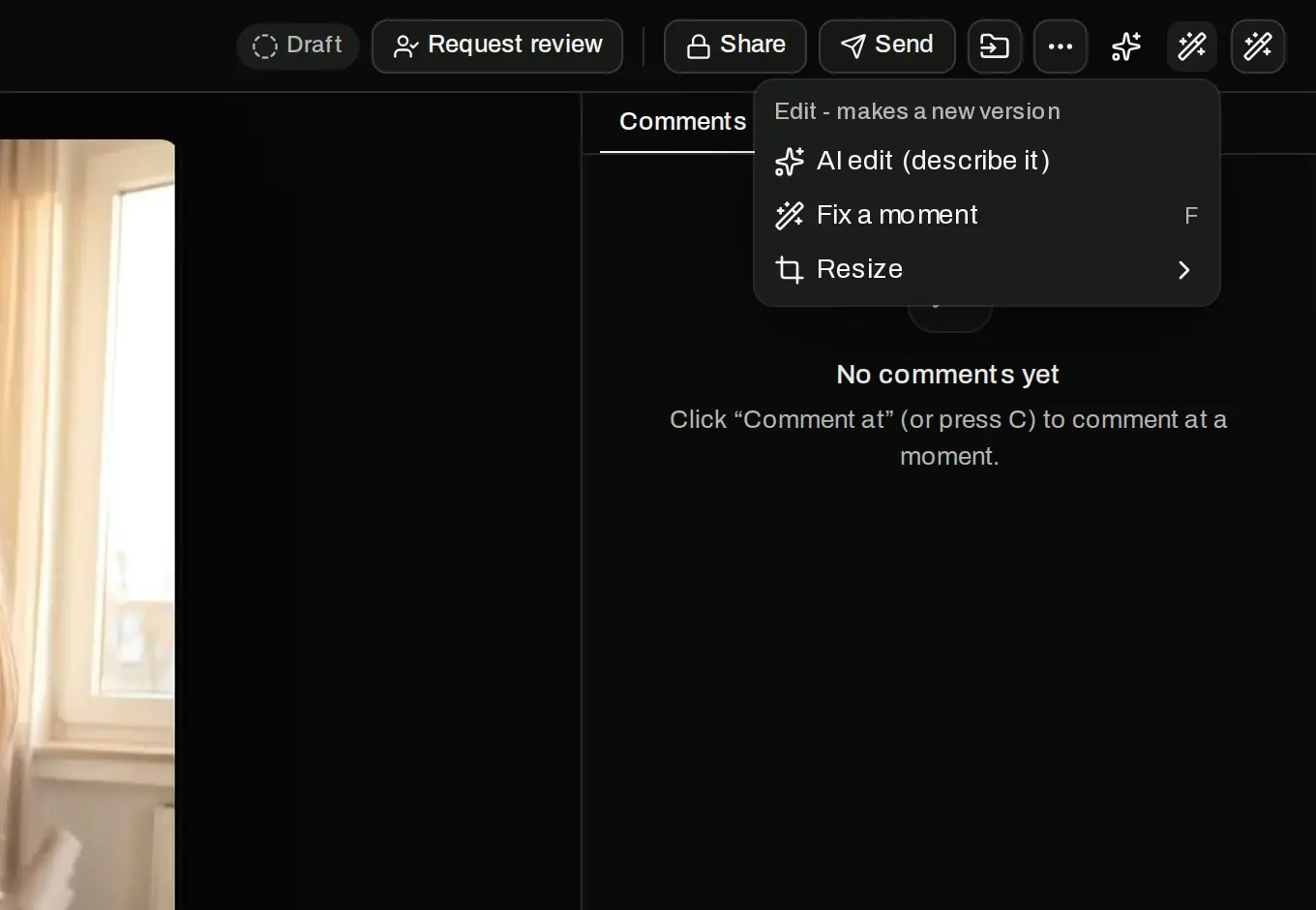
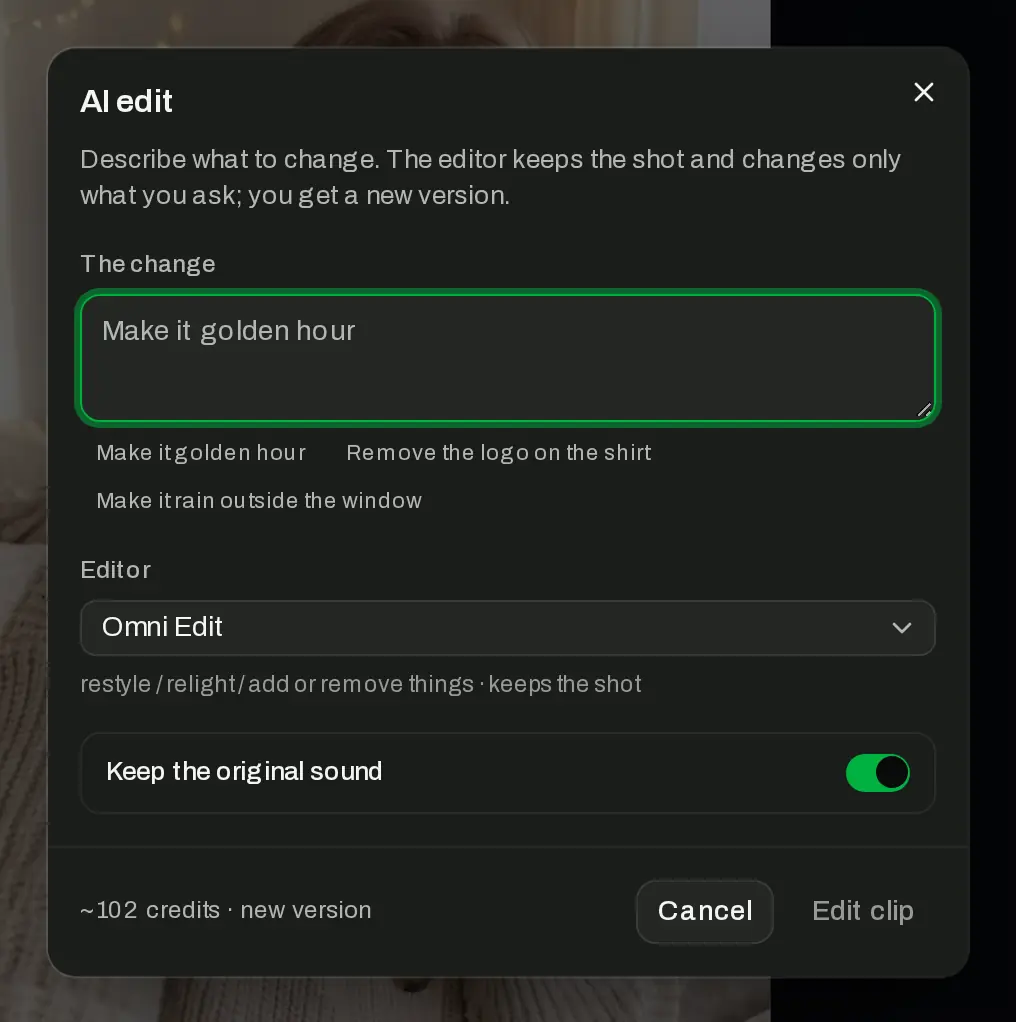
Edit by describing it
- Open Edit > AI edit (describe it).
- Describe the change, or click an example.
- Pick the editor (each shows its price per second and the longest clip it takes) and whether to keep the original sound.
- Check the price and start. The new version opens when it is ready.
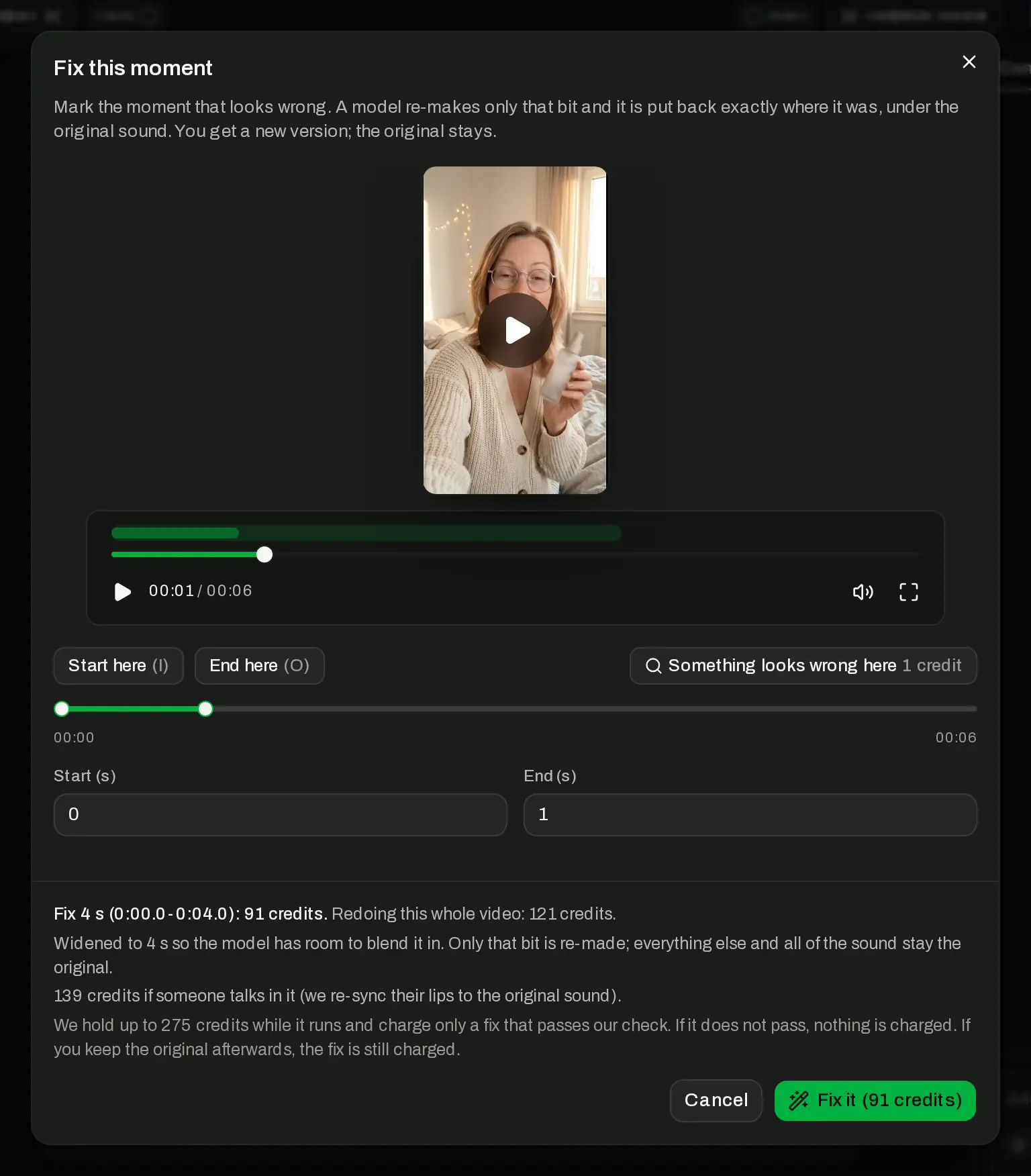
Fix one moment
Press F or the wand in the player. Mark the moment (Start here / End here, or drag on the timeline), pick what is wrong (hands, face, object changed shape, stutter…) and describe how it should look. Not sure? Something looks wrong here checks the moment for a credit.
The footer says exactly what will be re-made and what it costs. If the fix does not pass our check, nothing is charged. When it does, Compare the fix shows the original and the fixed version side by side so you can keep either.
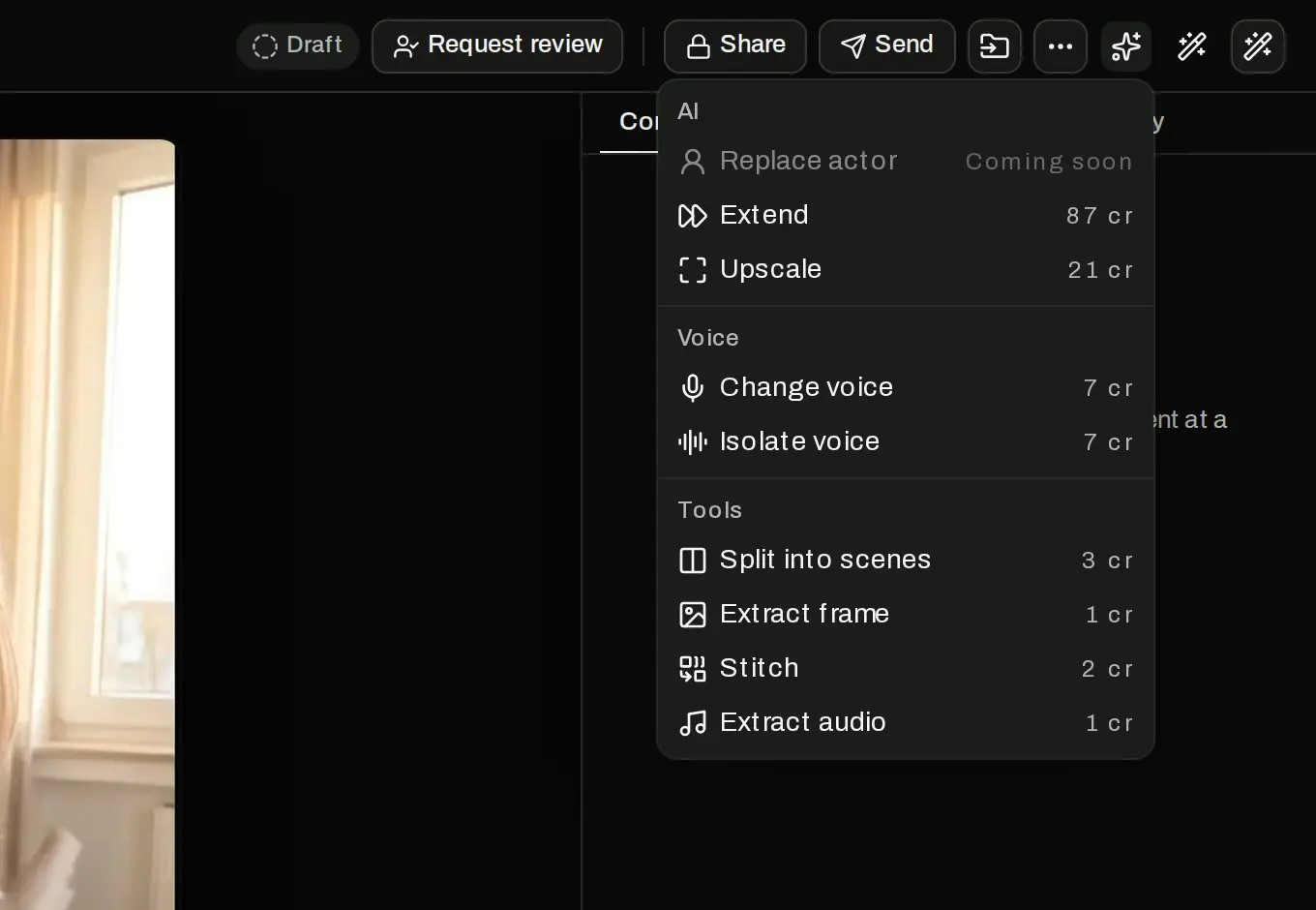
The Finish menu
The sparkles button holds finishing tools, each with its price:
- Extend the video by a few seconds, optionally with what happens next.
- Upscale to 1080p, 2K or 4K.
- Change voice or Isolate voice.
- Split into scenes, Extract frame, Stitch several videos, Extract audio.
Pictures show the English interface. Names of buttons may read differently in your language.