Sign up and set up your brand
After you sign up, a few short questions help us tailor your workspace; you can skip any of them. Then you name your workspace and drop your website.
- Type your website (for example yourbrand.com) under Let's set up your brand and press Analyze my site.
- Watch the agent read your site: a first look at your brand appears within seconds, then your products, competitors, tone of voice and audience.
- Answer its questions in the chat when it checks something with you. Everything it learns is saved in your brand's Brain.
Start from the agent home
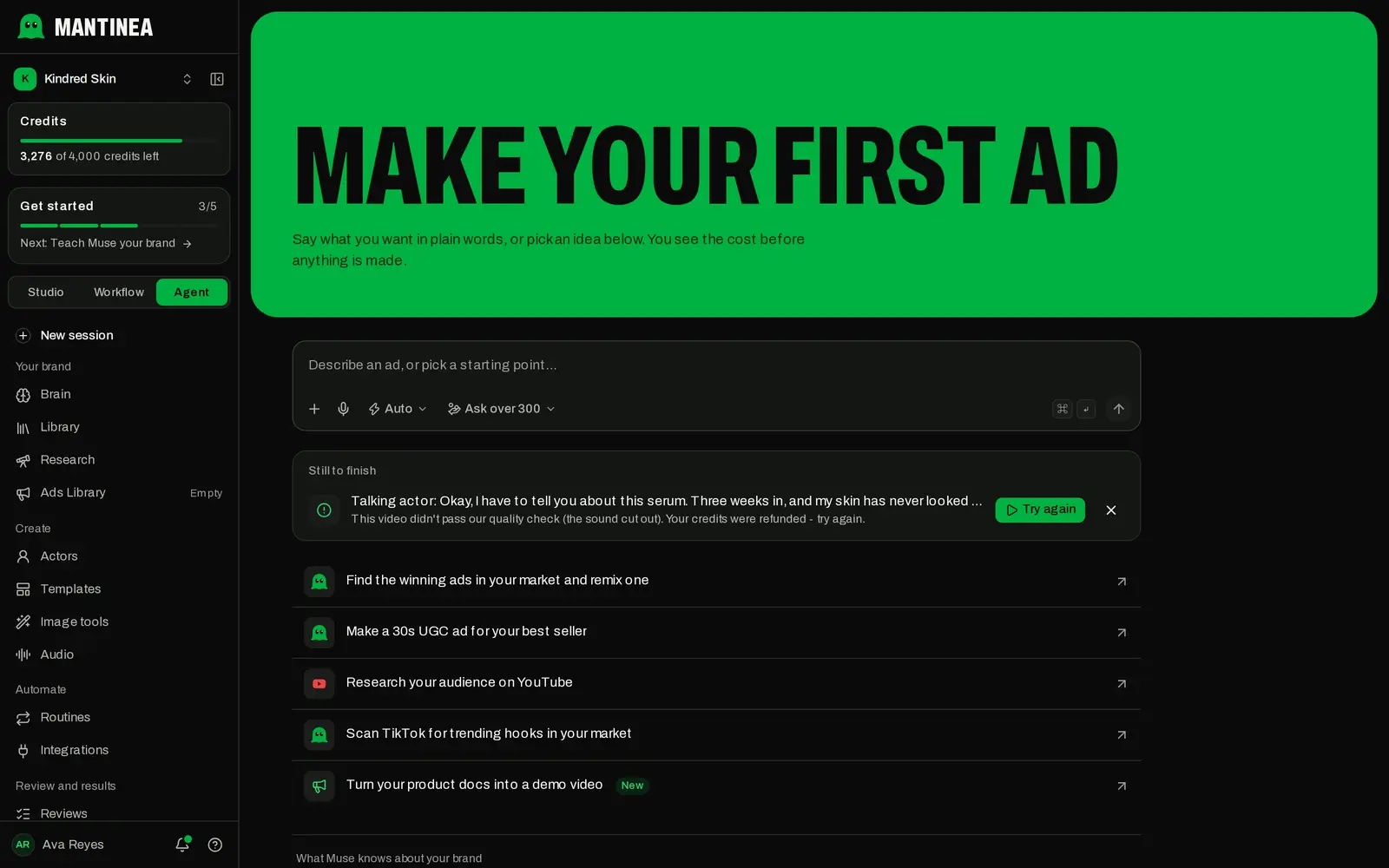
The agent home is where most people start. Say what you want in plain words, or pick one of the suggestions under the box. You always see the cost before anything is made.
Still to finish lists up to three asks that did not end in a result (a failed video, a step waiting for your go-ahead) with a button to pick each one up again.
Find your way around
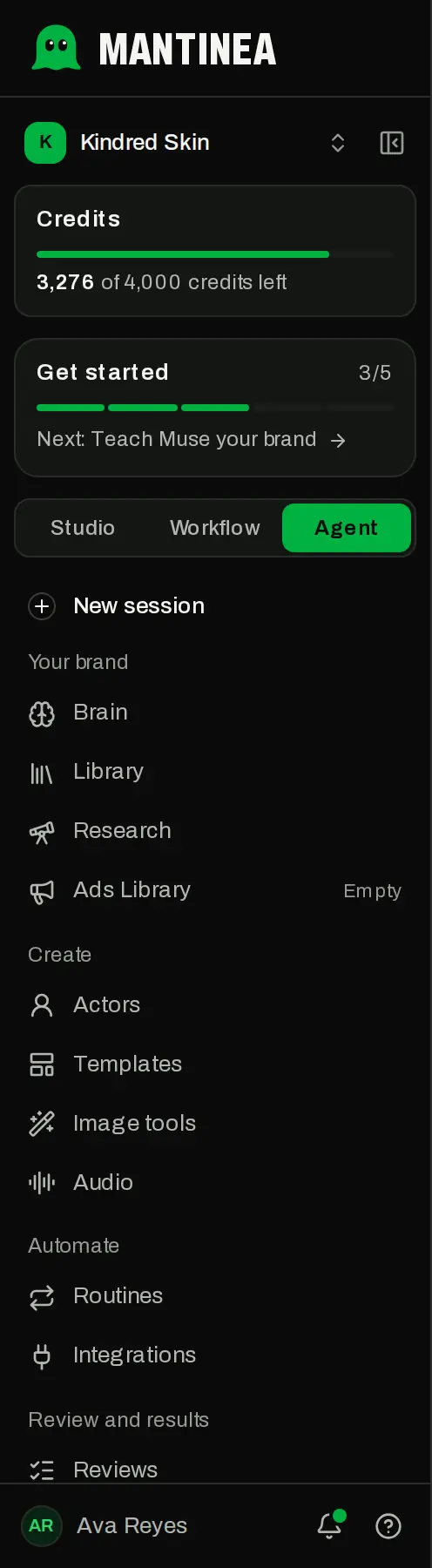
The sidebar holds everything. From top to bottom:
- Workspace switcher and your Credits card (click it for the full history).
- Get started: a short checklist that tells you the next useful step.
- Studio | Workflow | Agent: the three ways to make ads. Studio is hands-on, Workflow is a reusable canvas, Agent is a chat that does the work for you.
- Your brand: Brain, Library, Research and the Ads Library.
- Create: Actors, Templates, Image tools and Audio. Automate: Routines and Integrations. Review and results: Reviews and Performance.
Get your first video
Prefer to drive it yourself? Open Studio, write a script, pick an actor and press the send arrow.
- On the agent home, ask for an ad, for example "Make a 30 s UGC ad for our best seller".
- Read the plan and the cost estimate the agent shows, then confirm.
- Follow the progress card. The finished video lands in the chat and in your Library.
Pictures show the English interface. Names of buttons may read differently in your language.