Describe a workflow
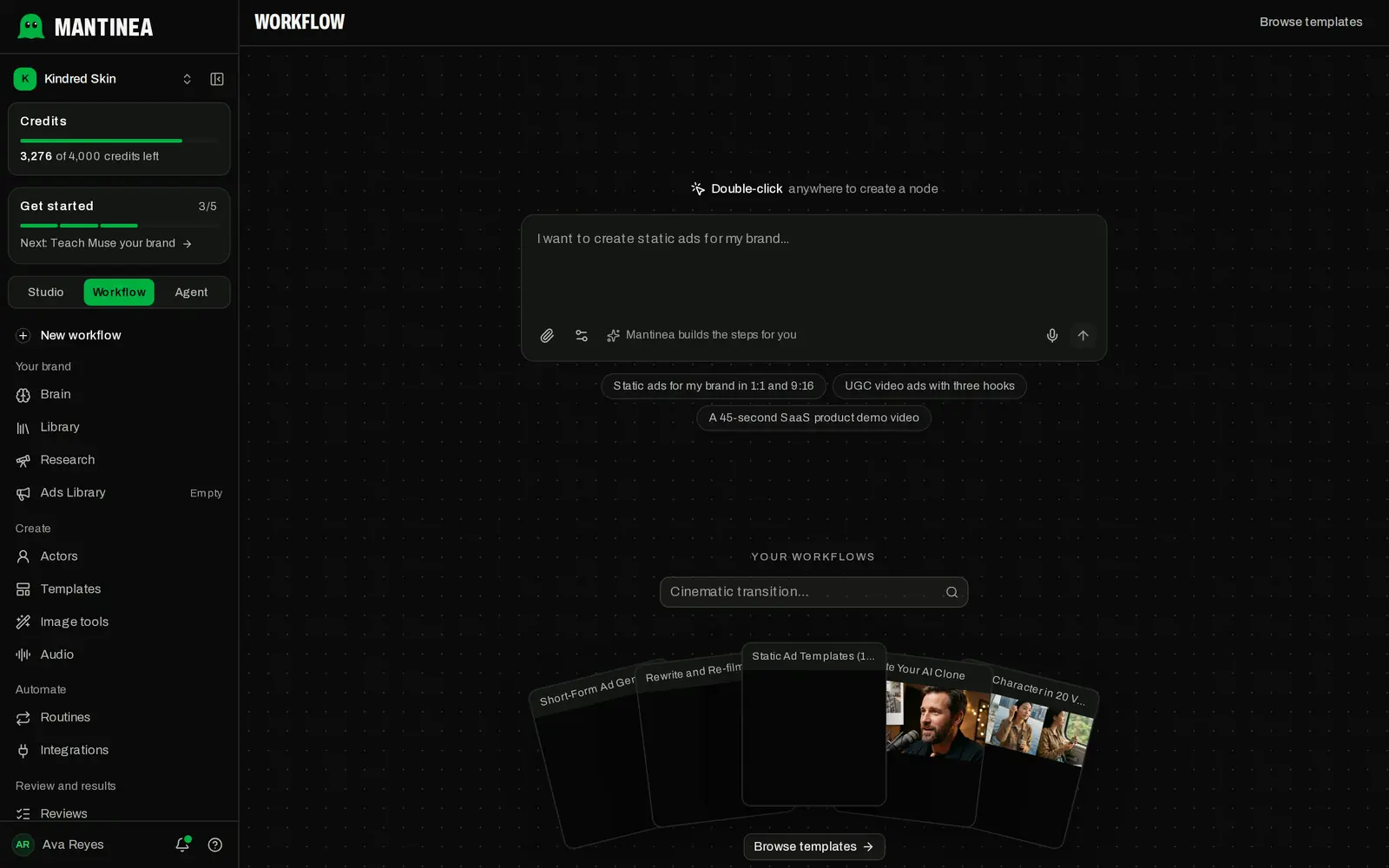
Switch to Workflow and describe what you want, for example "static ads for my brand in 1:1 and 9:16". Mantinea builds the steps for you on a new canvas. You can also double-click anywhere on an empty canvas to add a node yourself.
Start from a template
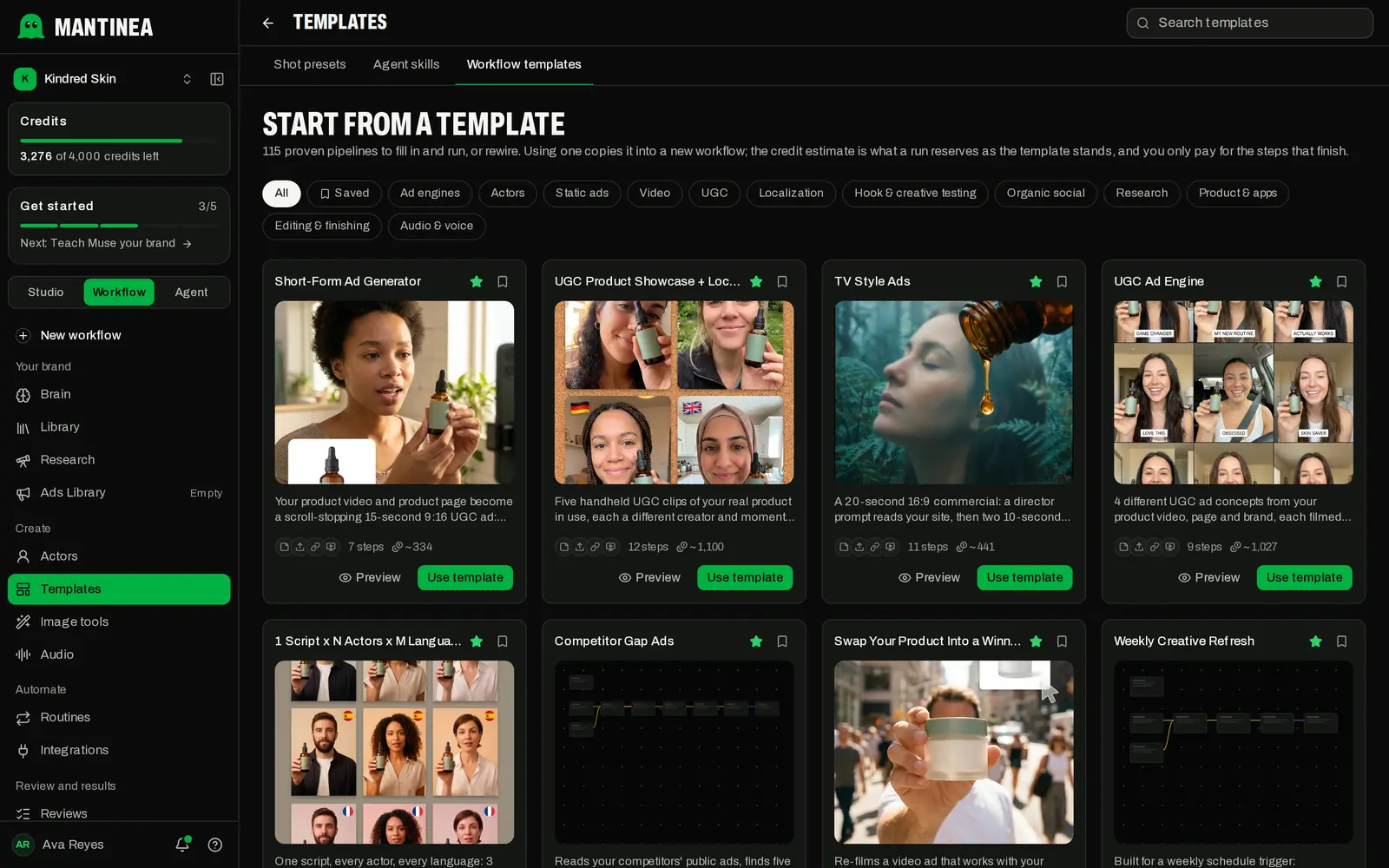
Browse templates (or Templates > Workflow templates) lists ready-made pipelines by category, with their steps and an estimated credit cost. Preview shows real outputs from one run; Use template copies it into a new workflow.
Work on the canvas
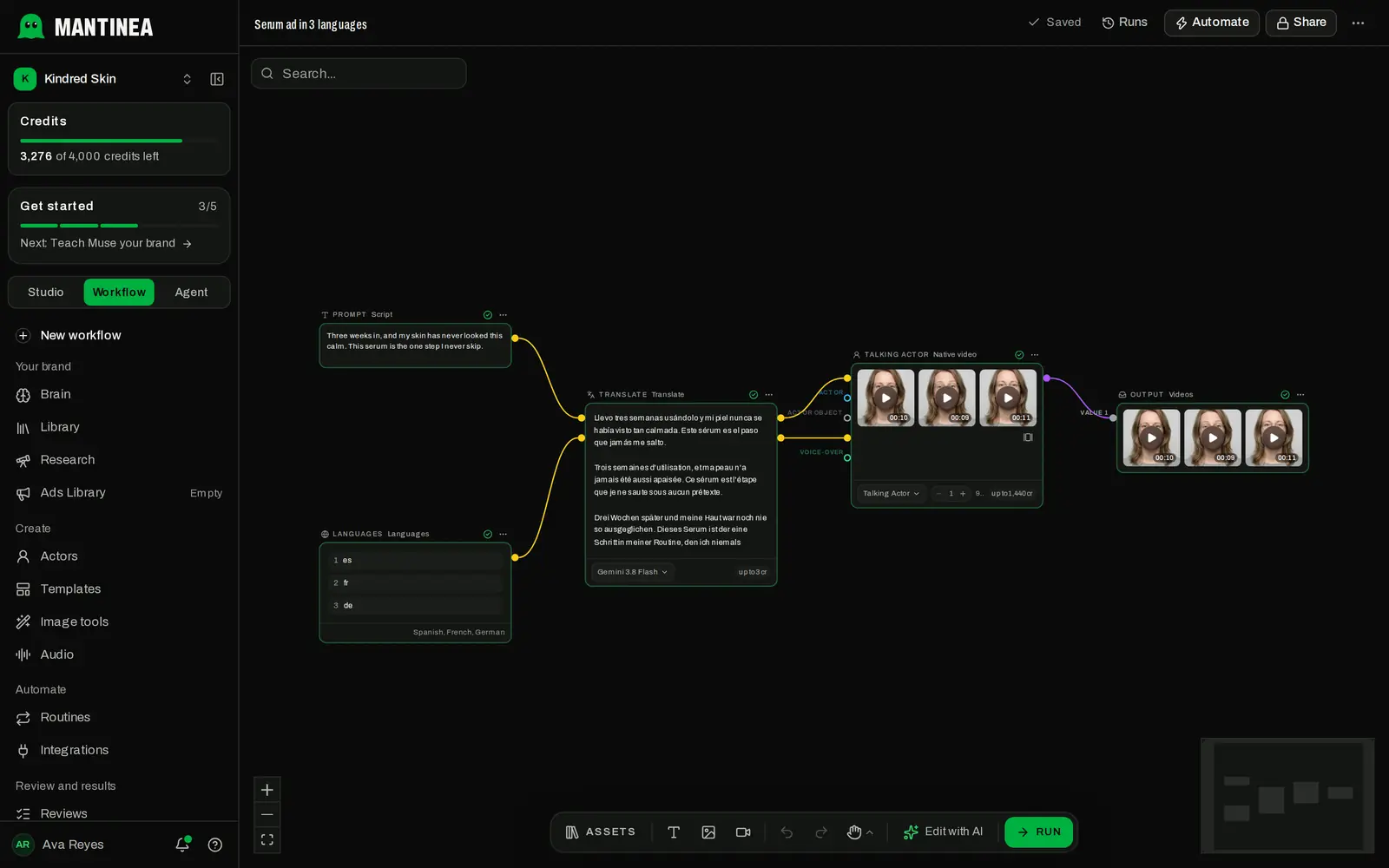
- Each card is a step: a prompt, a list of languages, a talking actor, a translation, an output. Drag from a port to connect steps; colours show the type (text, image, video, audio).
- Select a node to change its model and settings in the drawer on the right.
- Edit with AI changes the graph from a description. Assets drags files from your Library onto the canvas.
- Changes save on their own.
Run it
- Press Run. A panel lists each priced step and the most it can cost.
- Confirm. Each node shows its status, and outputs appear inside the nodes.
- Check Runs for the history: what each run cost and what it made.
Share and automate
Share makes a workflow visible to your workspace or gives it a public link anyone can duplicate (files and actors stay private). Automate adds a schedule or a webhook URL so it runs on its own.
Pictures show the English interface. Names of buttons may read differently in your language.