The gallery
Open Templates in the sidebar; the first tab, Shot presets, shows every preset with a live preview, how many templates it holds and its starting price. Examples: Product in hand, Show your app, Unboxing POV, Gestures & reactions, Camera moves, Fashion try-on and Full-body actor.
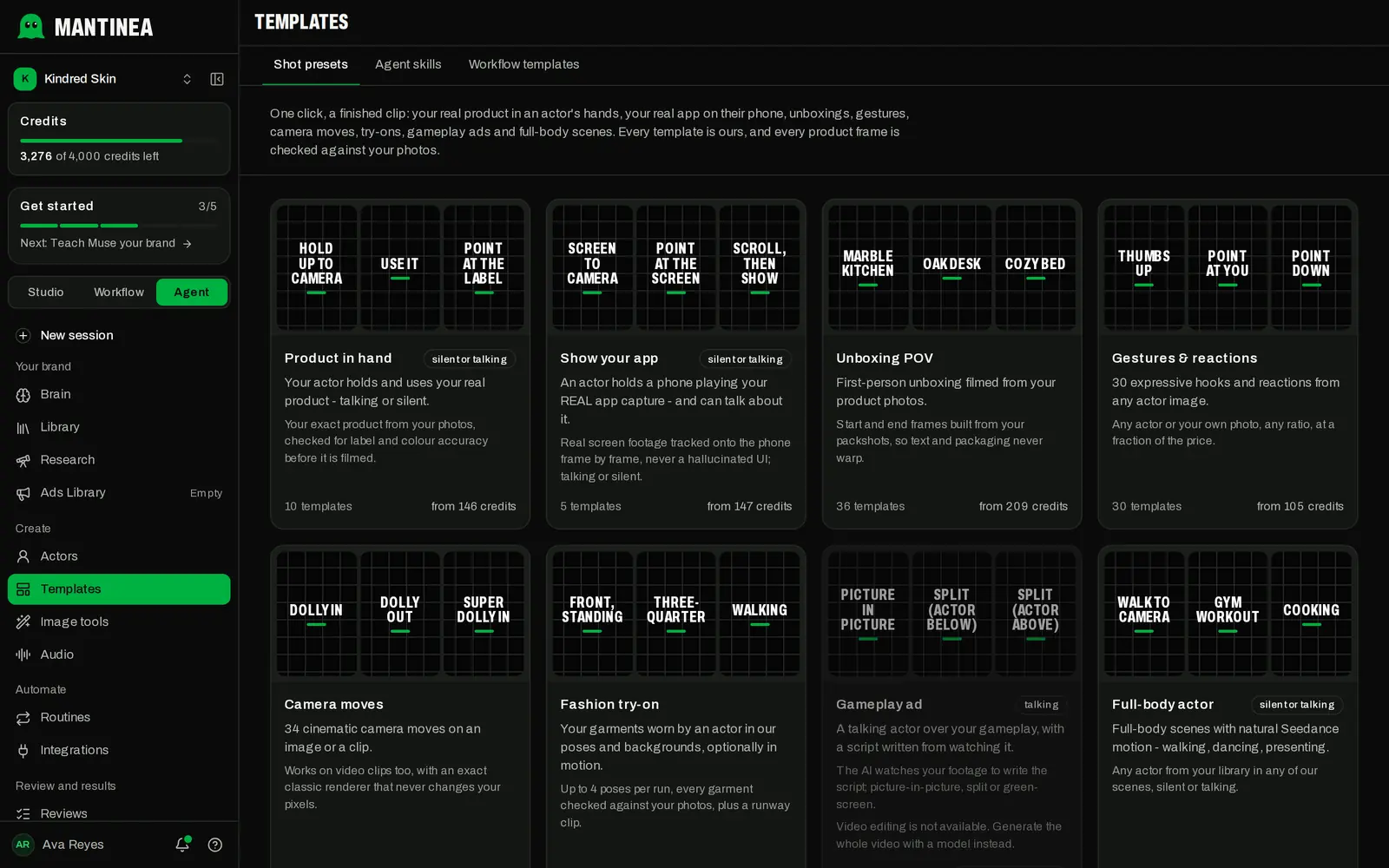
Make a clip from a preset
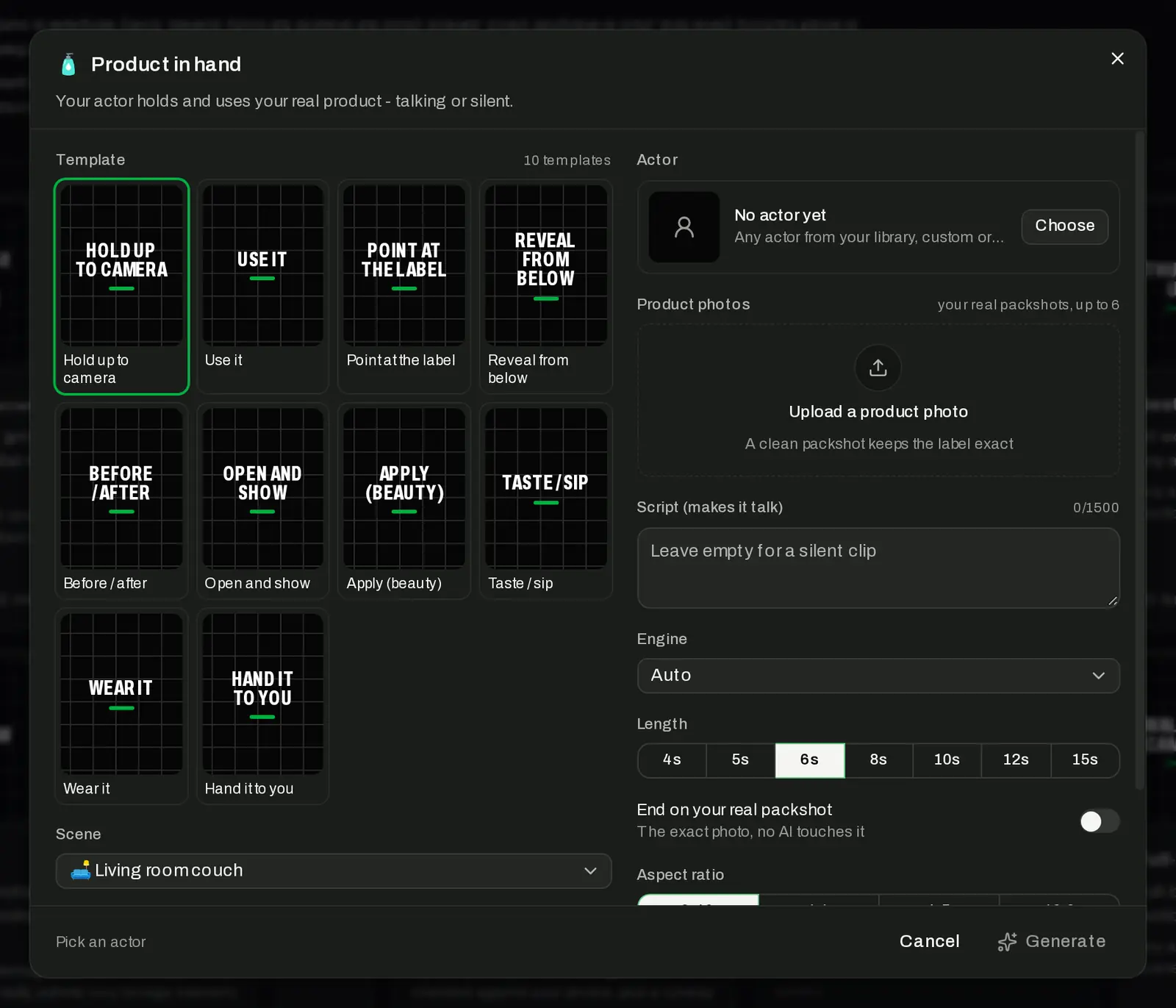
- Click a preset and pick one of its templates on the left.
- Choose the scene and, if you like, add an extra direction.
- On the right, give it what it needs: an actor, your product photos, your app capture. Add a script to make the actor talk, or leave it empty for a silent clip.
- Pick the engine, length and aspect ratio, check the price in the footer and press Generate.
Where the clip goes
The finished clip lands in your Library, titled after the preset. Some of the price is held for fallbacks and refunded if it is not used.
Pictures show the English interface. Names of buttons may read differently in your language.