What a routine is
A routine is an ask the agent repeats on a schedule: every morning, every Monday, or on a custom timetable. Open Routines in the sidebar to see yours, switch them on or off, or run one now.
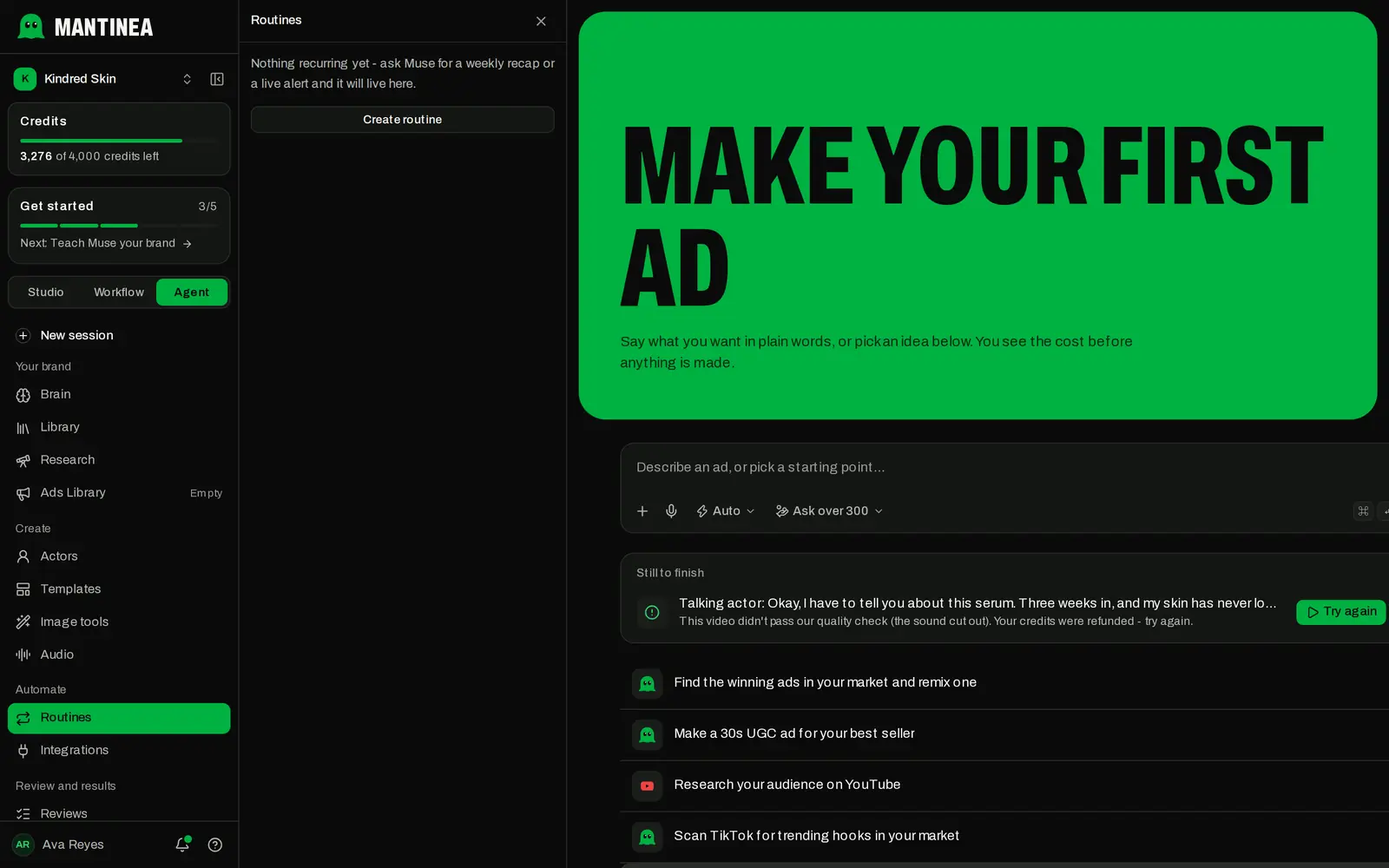
Create a routine
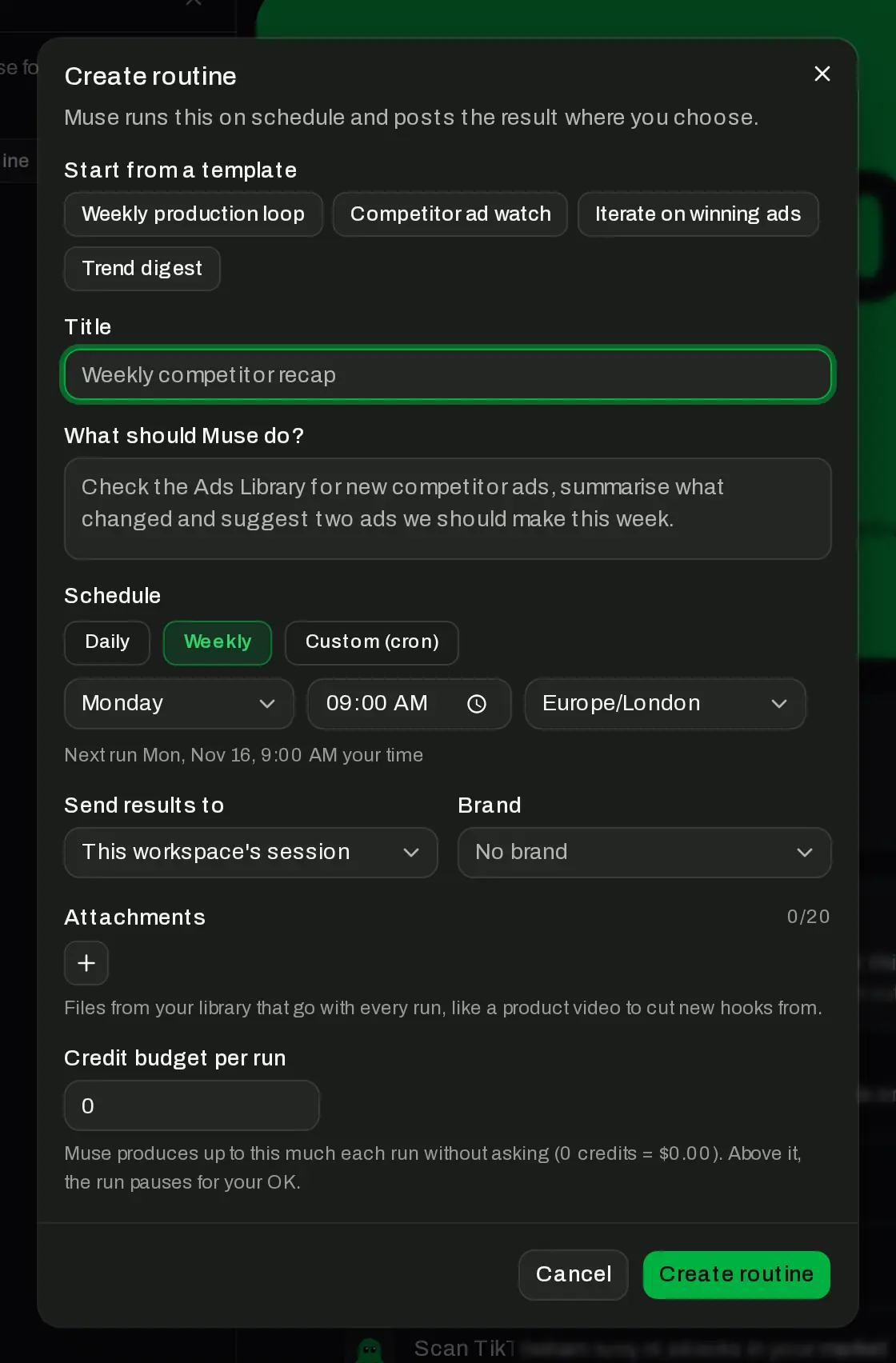
- Press Create routine, or start from a template: Weekly production loop, Competitor ad watch, Iterate on winning ads or Trend digest.
- Give it a title and write what the agent should do.
- Set the schedule: daily, weekly or custom, with the time and time zone.
- Choose where results go (a chat in this workspace, Slack or email) and which brand it is for.
- Set a Credit budget per run: what the agent may spend each time without asking.
Ask for one in chat
You can also just ask the agent, for example "send me a recap of new competitor ads every Monday". It drafts the routine in a card; press Create routine to keep it.
Pictures show the English interface. Names of buttons may read differently in your language.