Ask for anything
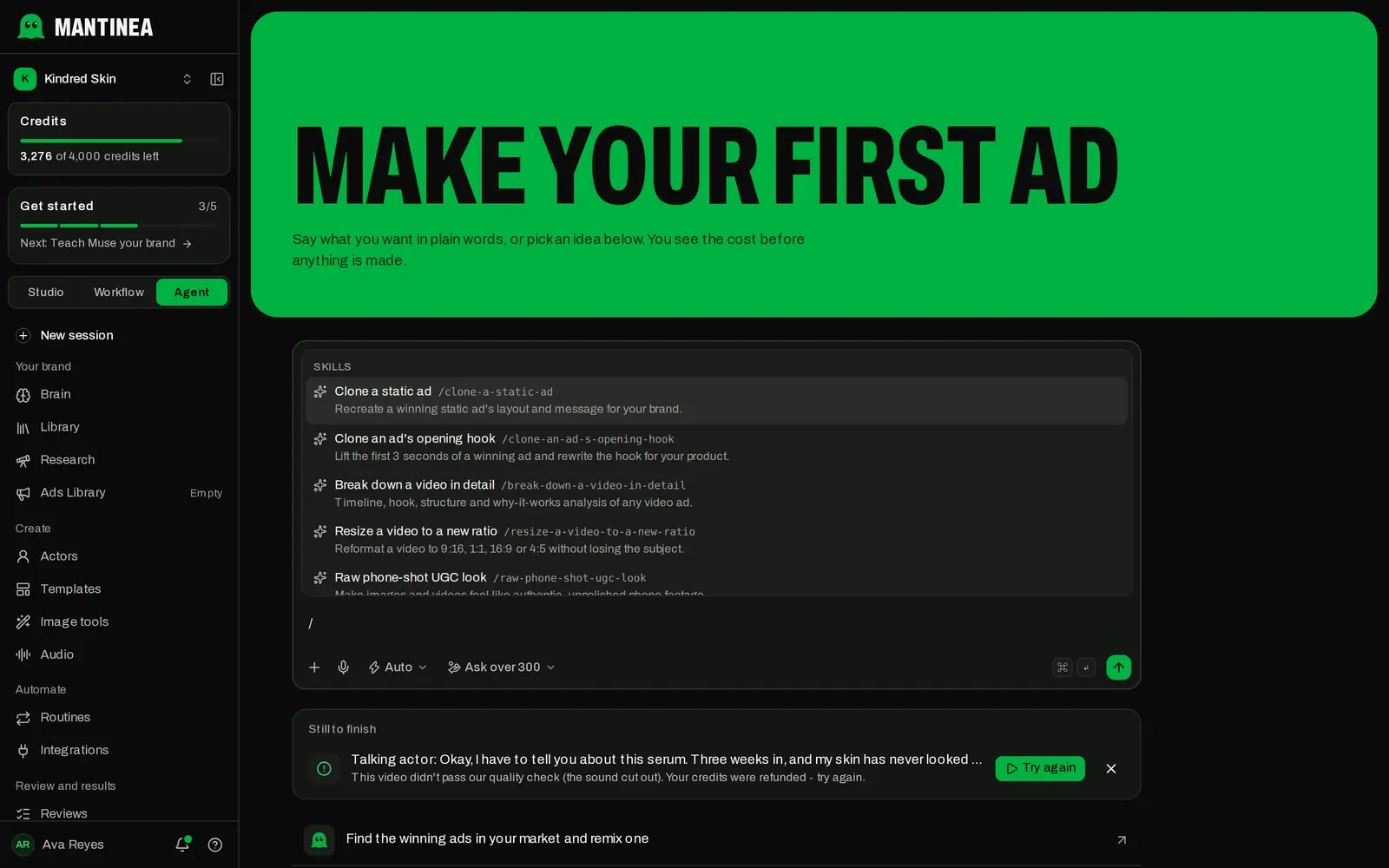
Write what you want in the message box: an ad, hooks for a product, a breakdown of a competitor's video, a weekly plan. Press Enter to send. While the agent works you can queue your next message, or press Stop.
- + attaches files: upload new ones or pick from your Library.
- The microphone dictates: hold it and speak.
- Auto sets the mode: Auto, Research or Create.
- The spend menu decides when the agent asks first: Ask first, Ask over N credits or Don't ask.
Use a skill
Skills are reusable playbooks that shape what the agent produces: clone a static ad, rewrite an opening hook, break down a video, resize for every platform, and many more. Type / at the start of a line to pick one.
Choose which skills run on their own
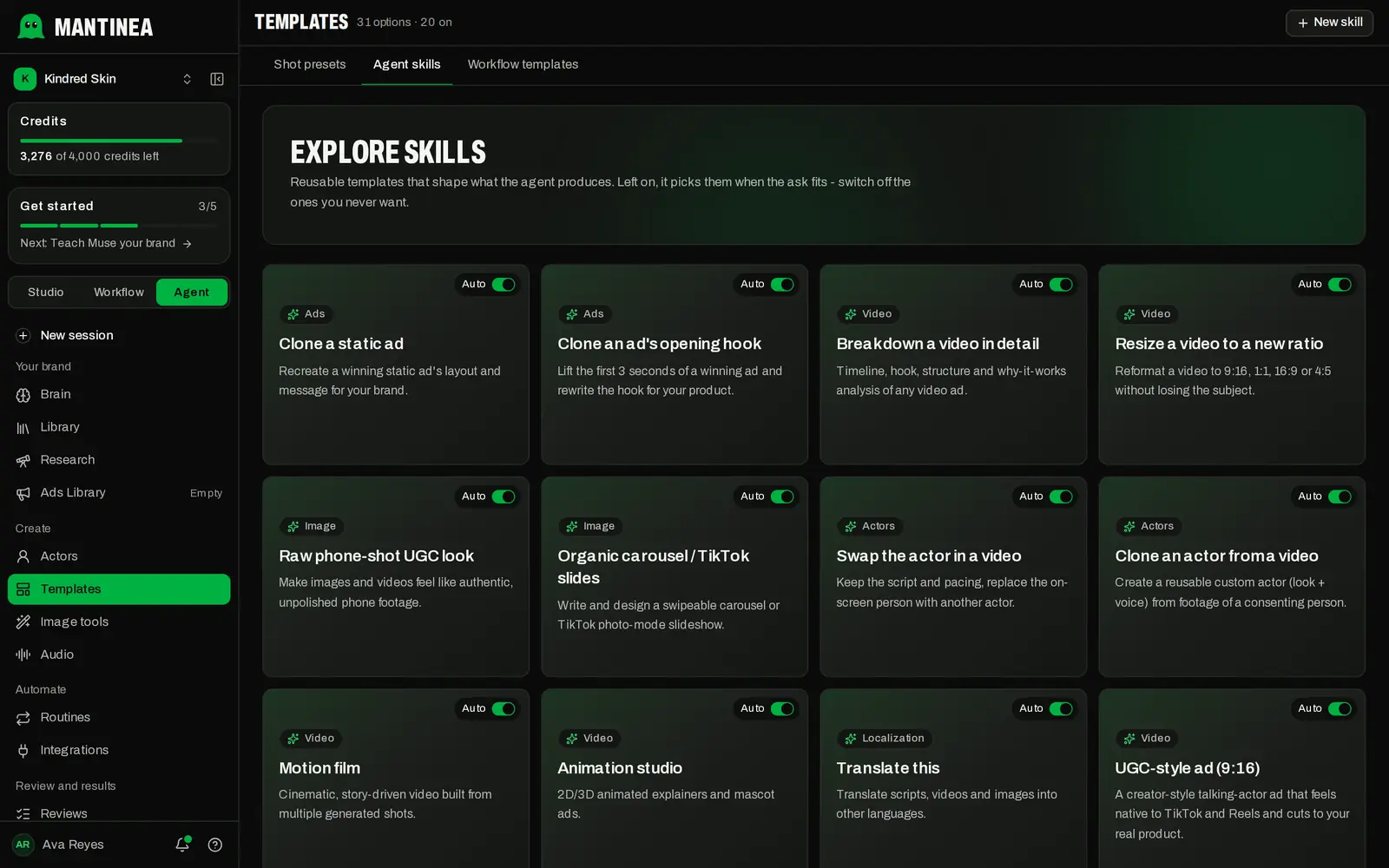
Open Templates > Agent skills to see every skill. Left on Auto, the agent uses a skill when your ask fits it; switch off the ones you never want. Use skill starts a chat with it, and New skill lets you write your own instructions.
Read the replies
Replies show their steps ("Searched the web", "Thought for 3 s") and rich cards you can act on:
- Concepts with Script it, Make video and Variations.
- Scripts with Generate with actor and Translate.
- Cost estimate: each step and its credits. Nothing starts until you answer Yes, spend up to N.
- Progress cards that turn into the finished video, and a Workflow card to open what the agent did as a reusable canvas.
See what a chat cost
The coins button in a chat's header shows Credit usage for this session: what the chat spent on images, videos, audio and other tools. Replies themselves are free, and refunded generations count as zero.
Pictures show the English interface. Names of buttons may read differently in your language.