Comment on a moment
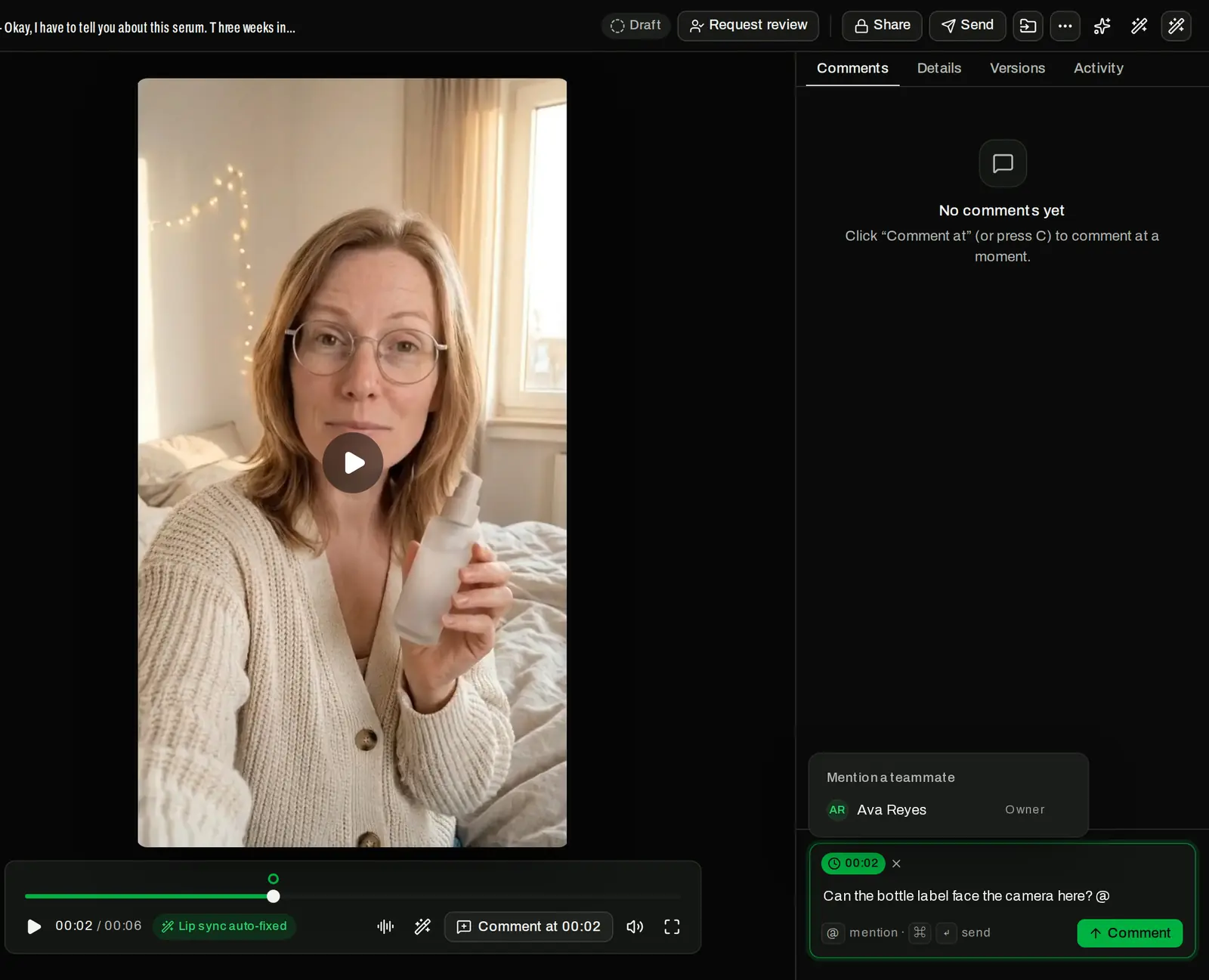
On a video page, press Comment at 00:04 (or C) to pin a comment to the current time; on an image, click where you mean. Type @ to mention a teammate; they get notified. ⌘Enter sends.
Comments show as markers on the player's timeline. Reply, resolve or reopen them, and filter by open or resolved.
Ask for a review
- Press Request review on the video page.
- Pick the reviewers and add a note on what to look at.
- Reviewers press Approve or Request changes. The status pill shows Draft, In review, Changes requested or Approved.
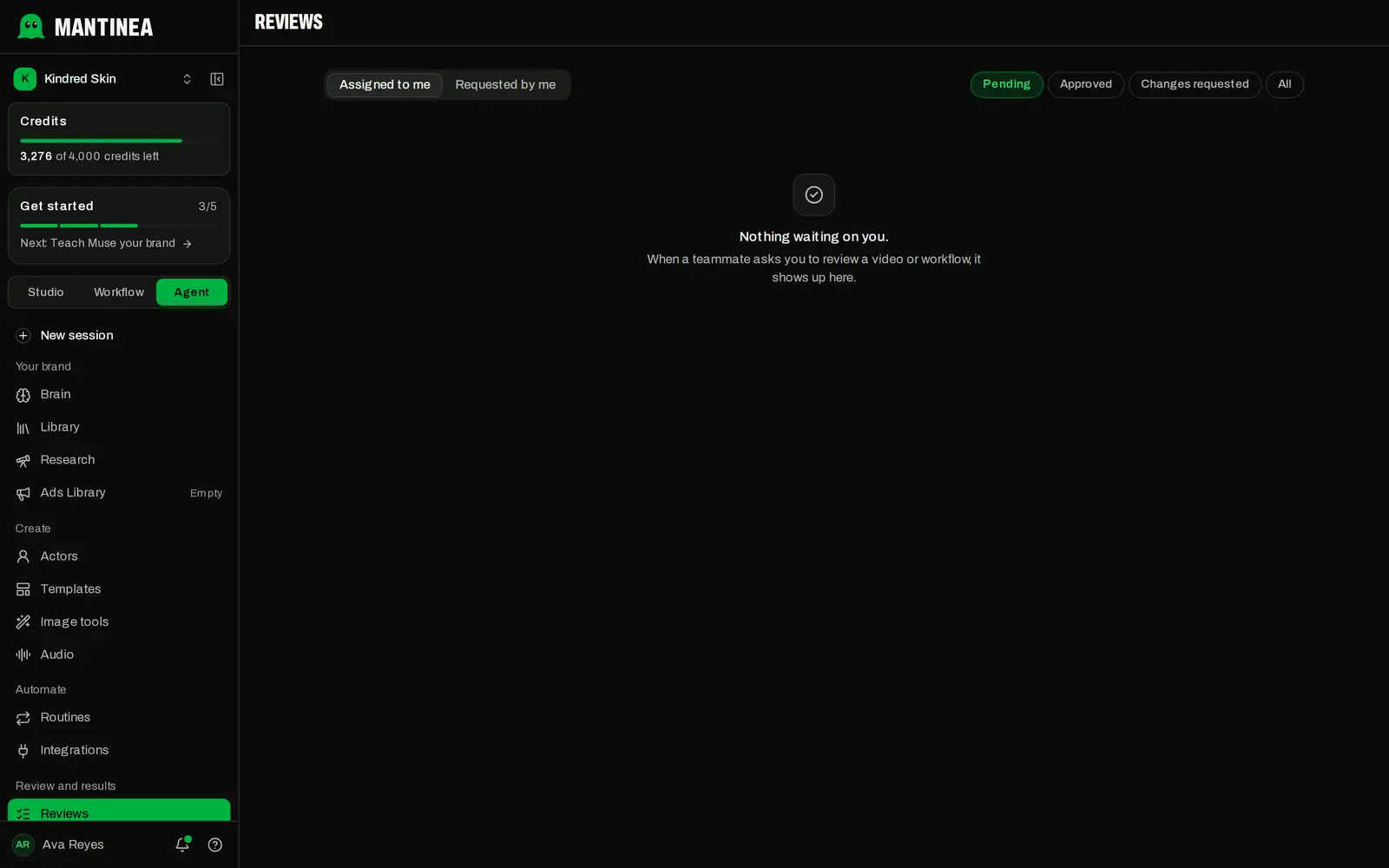
Your review queue
Reviews in the sidebar lists what is assigned to you and what you asked others for, filtered by Pending, Approved or Changes requested.
Share outside the workspace
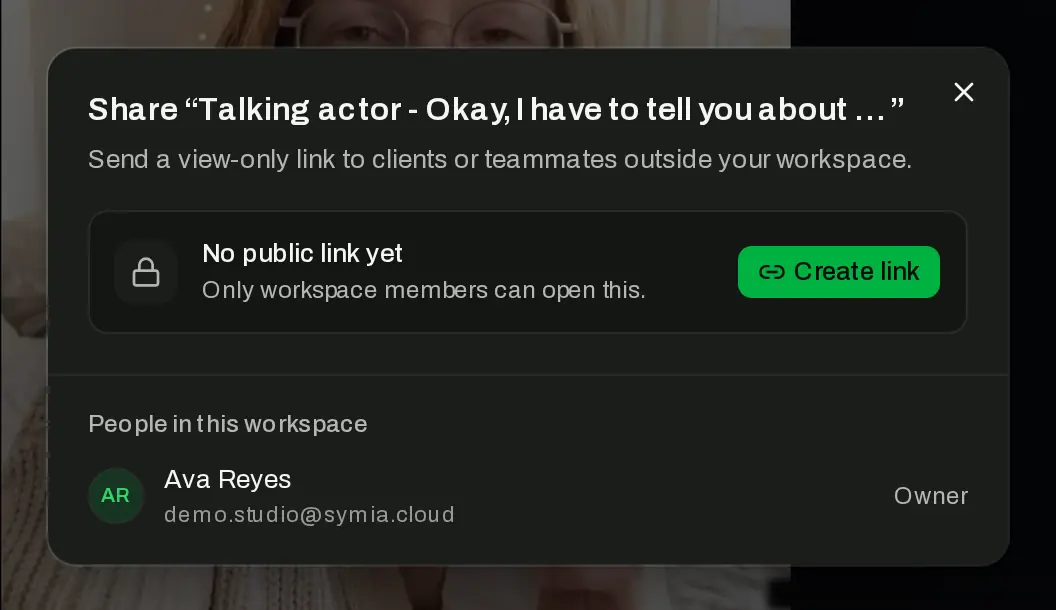
Share creates a view-only public link for clients or teammates outside your workspace, and lists who in the workspace can already see it. Turn the link off at any time.
Pictures show the English interface. Names of buttons may read differently in your language.